Grant Us Access to Your GoDaddy Domain
Follow the step-by-step instructions below to grant our team the necessary permissions. If you have any questions or need assistance, feel free to reach out to your customer service representative.
1. Log into your GoDaddy account.
2. Go to My Products.
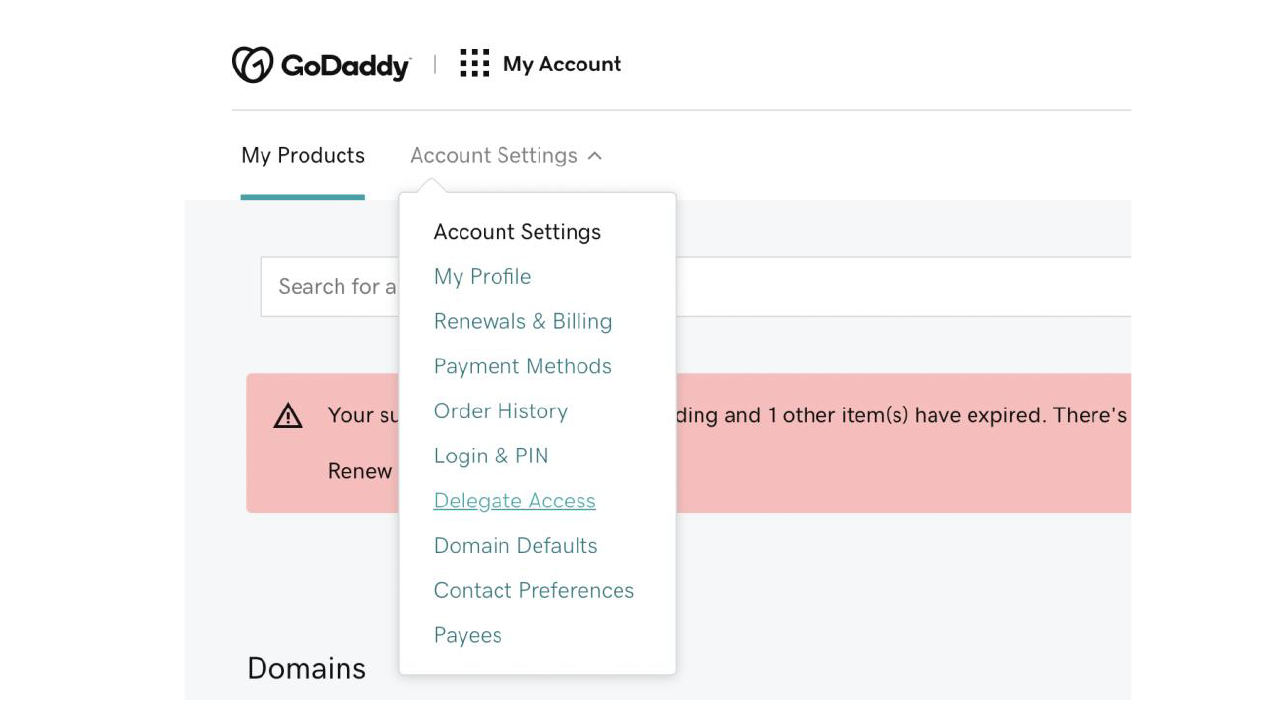
3. Click on Account Settings (top right corner).
4. Select Delegate Access from the dropdown.
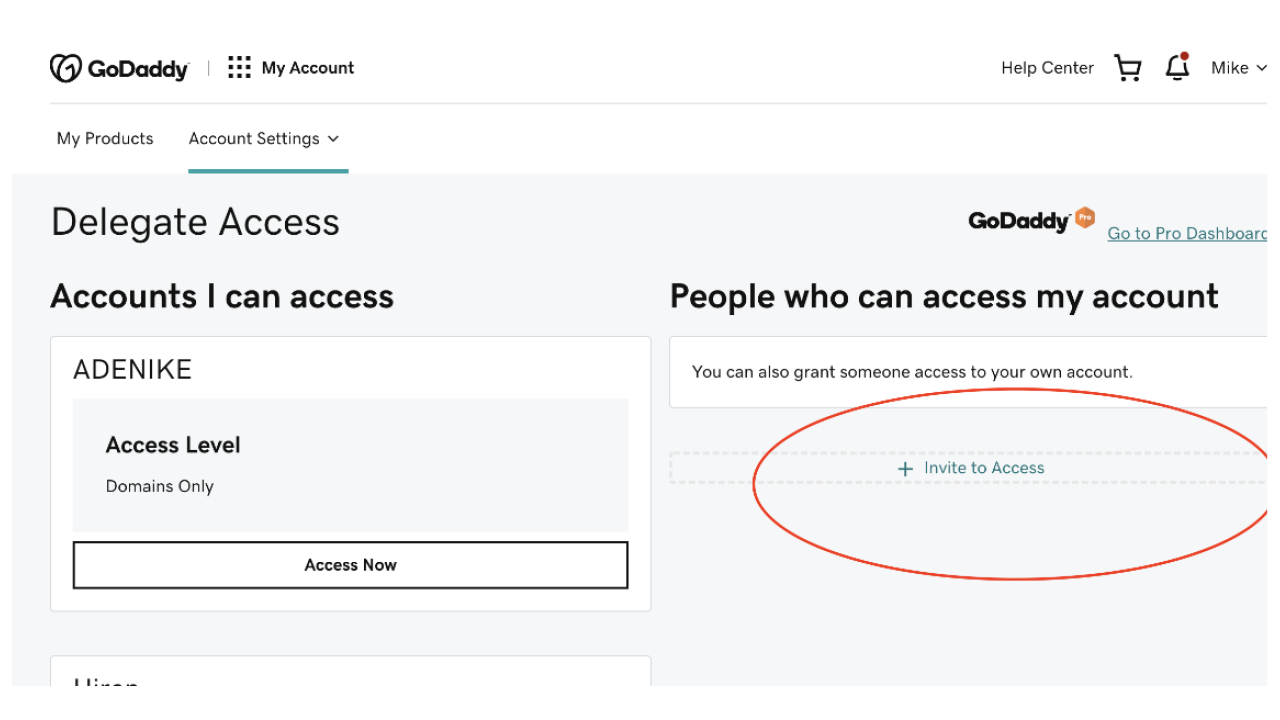
5. Click Invite to Access.
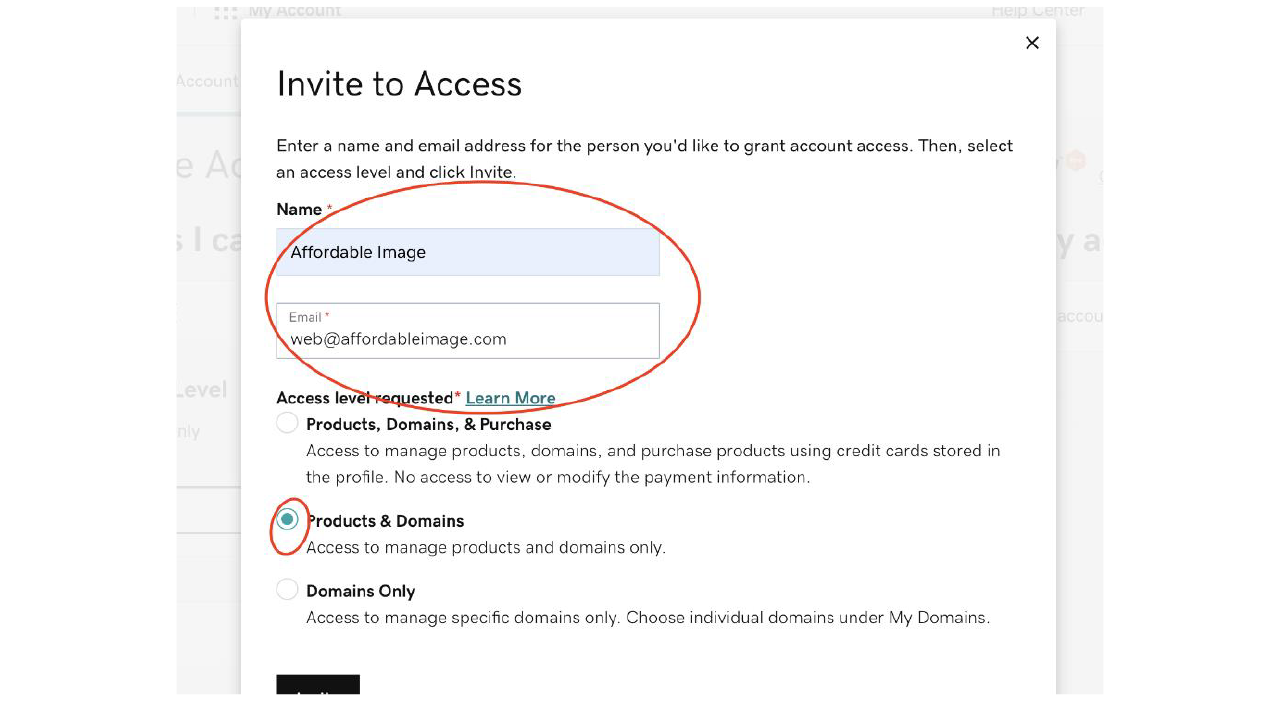
6. Enter the email address: [email protected].
7. Select the Products & Domains under the Access level and send the invitation.